Visual World Editor
Build massive 2D isometric or top-down RPG worlds with an intuitive editor.
Without Building the Engine First
ED5 MMO Studio gives you the editor, game client, server, database, and admin tools needed to build and run a real online 2D isometric or top-down RPG from one complete package.
Start from scratch or import RPG Maker / RPG Tools projects. Free to start. Pay only when you go live.
Build massive 2D isometric or top-down RPG worlds with an intuitive editor.
Authoritative Node.js server with scalable architecture built in.
Ship to web, Windows and Linux desktop, and Android from one project.
Ships as a polished installer. No setup headaches, no toolchains - install and start building.
Start Building Today - Free to start, plans from $24.99/mo
Everything you need to build and run your own 2D isometric/top-down MMO RPG.
Already started building?
You don't need to throw out years of work to go online. Import your maps, events, items, and skills directly into ED5 — then keep building with multiplayer systems already wired in.
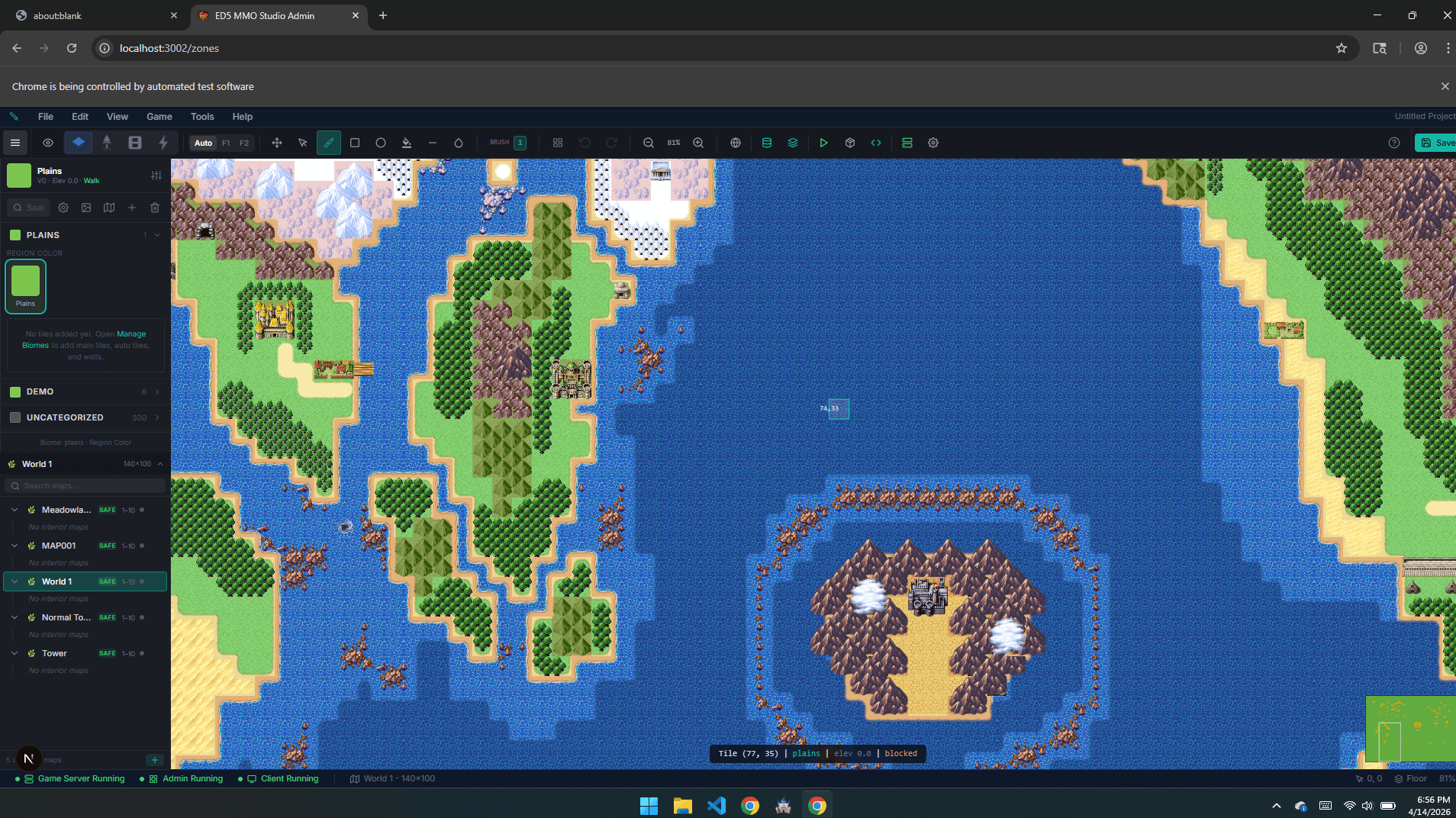
Point ED5 at your RPG Maker MZ folder or RPG Tools export. The Studio detects maps, tilesets, events, items, skills, enemies, troops, switches, and variables automatically.
Toggle exactly what imports — maps, items, skills, enemies, events, parallax art, character sheets — and choose Append or Replace per asset class. Nothing is forced.
Your single-player work lands in an authoritative server, real-time client, and live admin panel. Same world, now with multiplayer, persistence, and live operations.
See exactly what gets imported before you commit.
See import workflowWhat you get
Instead of assembling multiplayer infrastructure from scratch, start with a production-ready MMO foundation: editor, content management, authoritative combat, progression systems, deployment tooling, and room to customize.
Outcome first
Open the full visual editor directly in your browser. Paint terrain, manage items, build quests, and configure game systems without installing anything.
Outcome first
Node.js game server with fixed tick loop, WebSocket networking, validated client messaging, built-in behavioural anti-cheat, and server-authoritative rules for real multiplayer gameplay.
Outcome first
Modern browser client with dynamic lighting, movement, combat visuals, and a smooth RPG-style gameplay experience.
Outcome first
GCD combat, weapons, abilities and pets, plus seven instanced arena modes (deathmatch, capture the flag, battle royale, siege, horde) and multi-phase boss encounters with raid lockouts.
Outcome first
Build custom systems with a file-based plugin workflow or secure per-project sandboxed plugins - typed hooks, custom commands, and clean extension points.
Outcome first
Combat, crafting, pets, guilds, building, farming, quests, survival, enchanting, economy, instanced dungeons and living NPCs - then export the finished game to desktop, web and Android, with iOS on the way.
Ready to build?
Plans from $24.99/mo when you go live. Engine, editor, and client included.
These are not mockups. The screenshots and code samples below reflect the included server, client, editor workflow, and extension surface you receive with the engine.
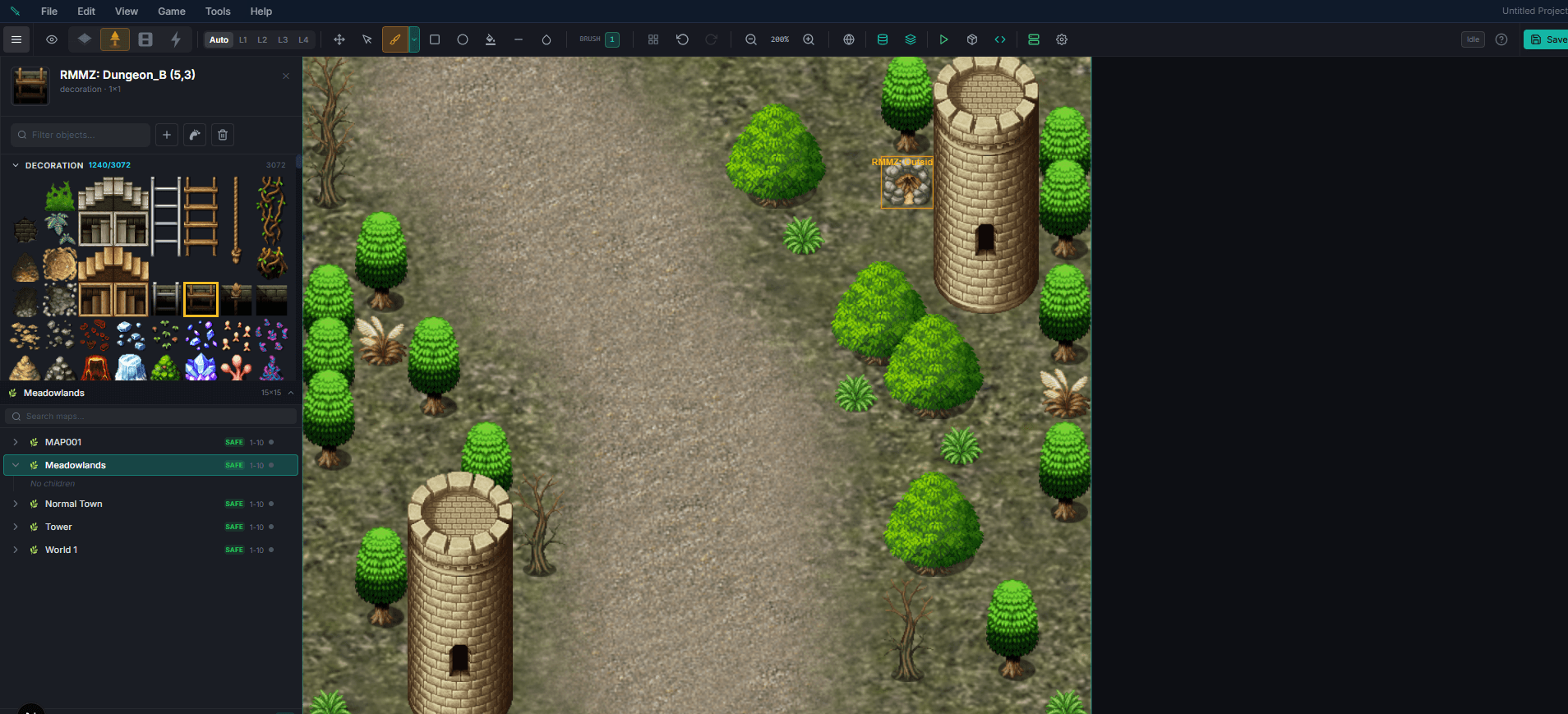
Included in this part
The same admin panel runs in the browser on phones and tablets, not just desktop. Fix balance on the bus, review quests at lunch, tune biomes from the couch — every editor page is responsive.
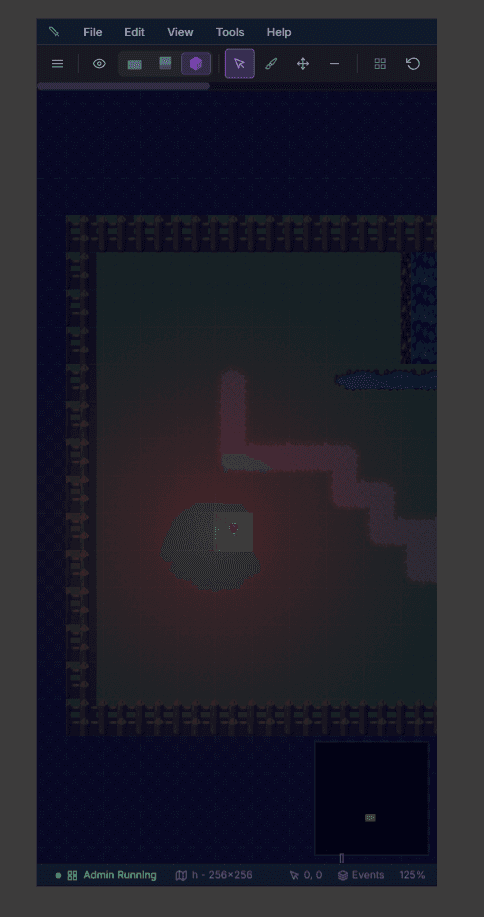
Studio Overview
Check the responsive workspace shell, navigation, and editor chrome on touch devices.
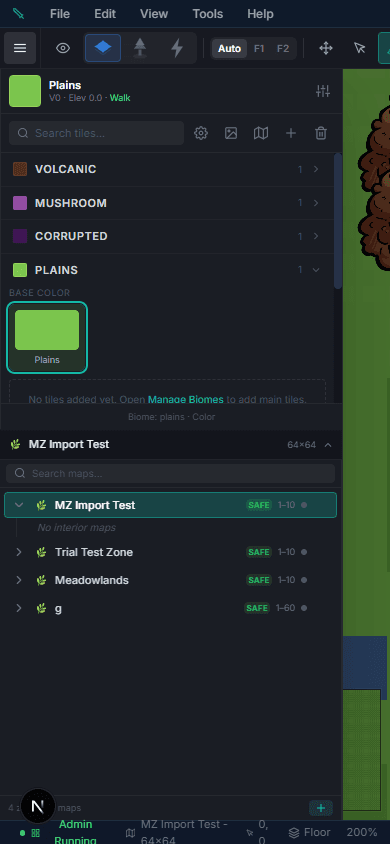
Zone Editor
Paint terrain, place objects, and manage layers from a phone or tablet.
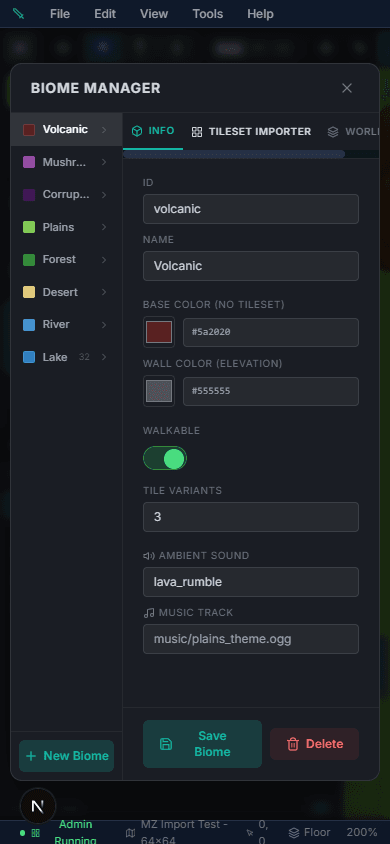
Biome Manager
Tune biome tiles, weather, and spawn tables without leaving the couch.
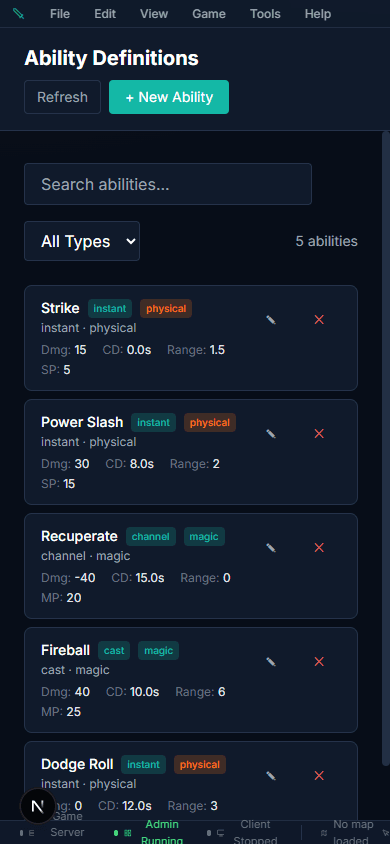
Abilities Editor
Create new abilities, AoE shapes, and status effects on the go.
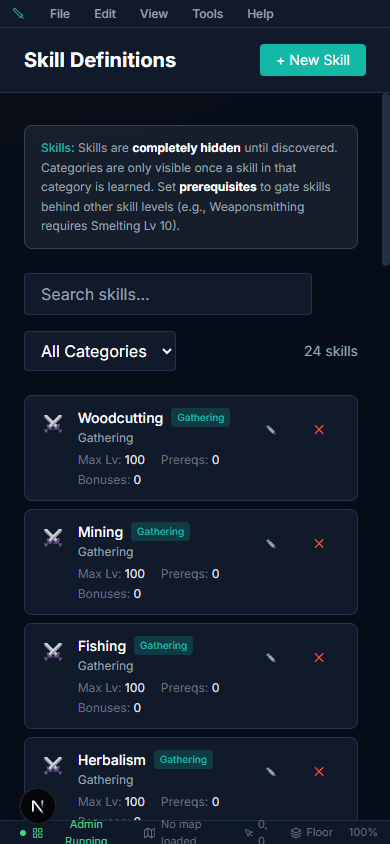
Skills Editor
Design skill trees and XP curves from any device.
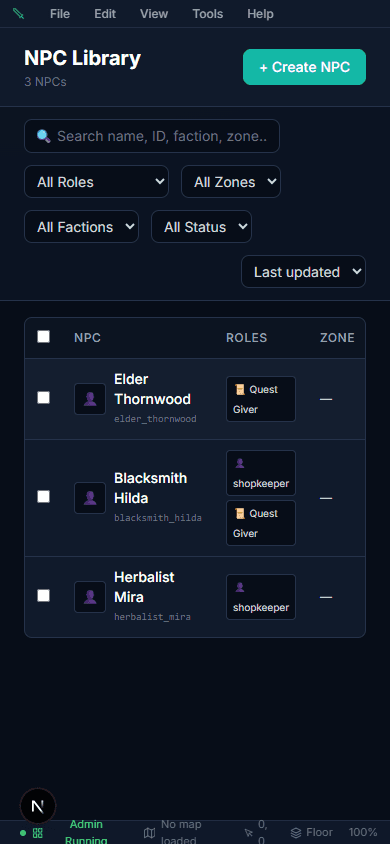
NPC Editor
Edit NPC dialog, vendors, and quest links in the browser admin.
How it works
1) Import or start fresh. Bring in your RPG Maker or RPG Tools project data, or begin a brand-new MMO from scratch in the visual editor.
2) Launch the built-in server. Your networking and authoritative game loop are already implemented, so you can test multiplayer immediately.
3) Ship content, not infrastructure. Use included systems for combat, quests, economy, guilds, pets, and live operations while keeping full control of your content and plugin code.
Pricing
The editor is free. Plans from $24.99/mo, billed yearly, add the right to sell your game, managed servers and room for your team.
Build and playtest your world. No card needed.
$0
Free forever.
Start freeCreator or above unlocks: Guilds and alliances, Housing, Player market, Pet and turn-based battles, Crime and law, Premium shop, gold store and memberships, AI NPC chat, Living world simulation, Instances, arenas and advanced Steam features.
Sell your game and host it yourself.
$24.99/mo
Billed $299.90 yearly. You save $59.98.
Get CreatorMost popular
We run the game server. You run the game.
$66.66/mo
Billed $799.90 yearly. You save $159.98.
Get StudioFor a public launch with real traffic.
$124.99/mo
Billed $1,499.90 yearly. You save $299.98.
Get ProductionAdd when you need it
The value here is not a thin prototype. It is the amount of finished surface area your team does not need to rebuild.
Game Systems
Database Tables
Starter Biomes
Server Tick Rate
What those numbers buy you
Fewer blank pages, fewer greenfield systems, and less time spent proving basic MMO loops before your team can move into economy design, content cadence, and launch planning.
This section is written for evaluation: platform support, licensing, scalability, customization, and what is actually included when you purchase the engine.
Already know which plan fits? See pricing and start shipping. Still evaluating? Take the Free plan or read the introduction guide.
Get the editor, the client, the server, the database model, and the production starter kit in one plan. Rebrand it, extend it, and move directly into content, balance, and launch planning.
Start free: the browser editor needs no credit card and no install.