Create quests with objectives, rewards, and story chains.
Quest System
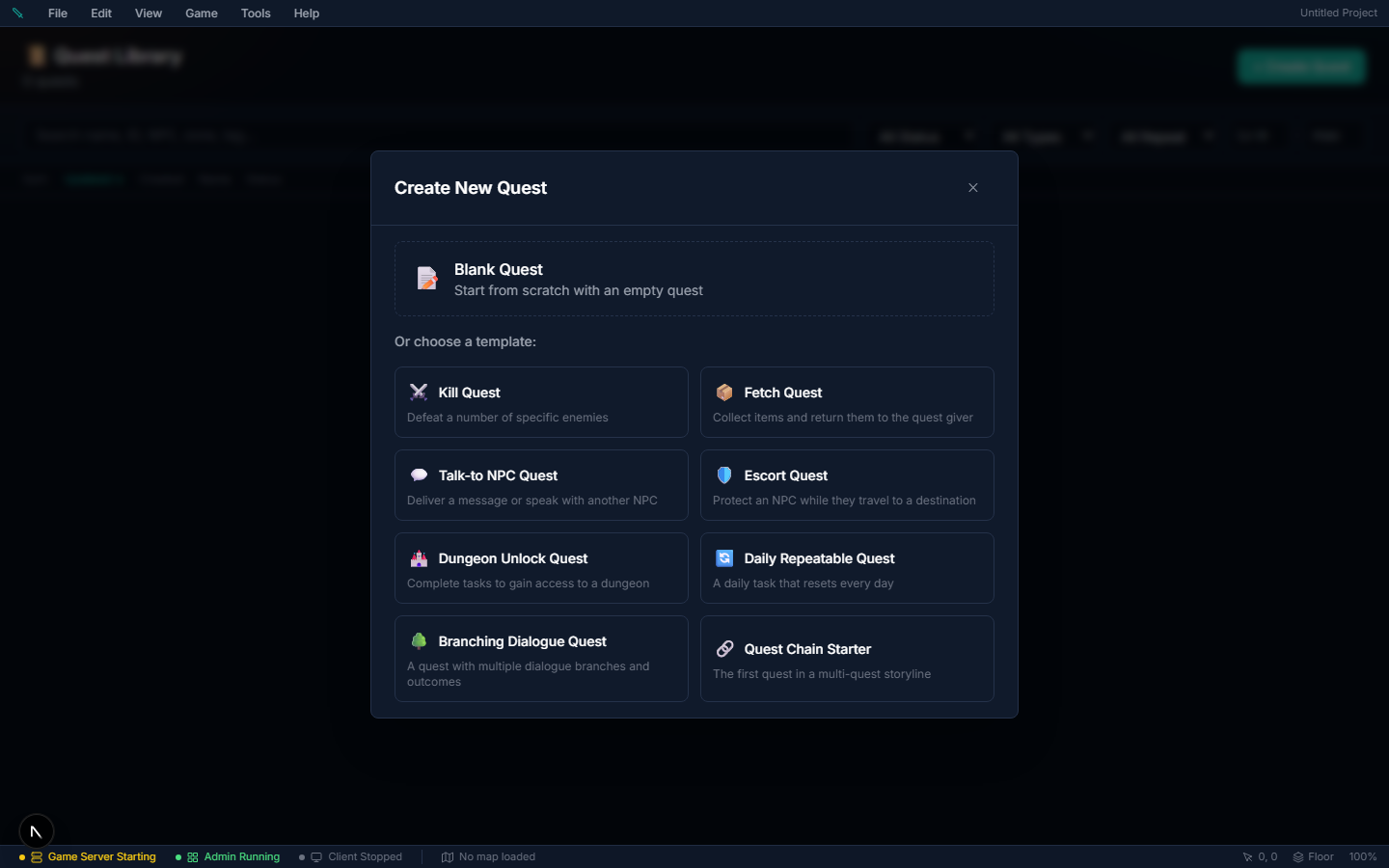
Quests are the main way you guide players through your game world, tell stories, and reward exploration and combat.
The quest's text#
Quests → open a quest → Setup tab → Description has two boxes:
| Field | Who reads it |
|---|---|
| Player-facing Summary | Players. It is the description in the quest log and quest windows, and the text you translate on the Localization page (the quest's .desc row). |
| Admin Notes / Description | You. Players see it only when the quest has no Player-facing Summary, so quests written before the two boxes existed keep their text. |
Leave both empty and the quest log shows no description.
Quest Categories#
| Category | Description |
|---|---|
| Main Story | Story-critical quests that drive the narrative |
| Side | Optional quests for extra rewards |
| Daily | Reset every 24 hours — players can repeat them |
| Event | Tied to world events or seasonal content |
| Guild | Guild-oriented objectives |
| Tutorial | Onboarding / new-player quests |
Quest Lifecycle#
Authoring uses a simple three-state flow:
- Draft → you're still working on it (not in-game)
- Published → live and available to players
- Deprecated → retired; no longer offered
Only Published quests are available to players in-game. (At runtime a player's own progress moves through a separate axis — available → active → completed → failed → turned in.)
Repeatability#
| Setting | What Happens |
|---|---|
| Once | One-time quest — complete it once, done forever |
| Repeatable | Can be repeated immediately after turning it in |
| Daily | Resets once per day |
| Weekly | Resets once per week |
Objective Types#
Each quest has one or more objectives that must be completed:
| Type | Description | Tracking |
|---|---|---|
| Kill | Defeat N of a specific mob | Automatic |
| Collect | Gather N of an item (looted, harvested, or bought) | Automatic |
| Talk to NPC | Speak with a specific NPC | Automatic |
| Visit Location | Reach a zone / area | Automatic |
| Craft Item | Craft N items from a recipe | Automatic |
| Deliver | Hand an item to an NPC at turn-in | Automatic |
| Escort | Protect an NPC to a destination | Event-driven |
| Use Item | Use an item / world object | Event-driven |
| Timer Survival | Survive for a set time | Event-driven |
| Emote Interaction | Perform an emote/interaction | Event-driven |
| Tame Creature | Tame N creatures. Target either the mob that was tamed or the pet it becomes — "tame five chickens" and "bring home a Grove Sprite" are the same event asked from two directions | Automatic |
| Composite | Group sub-objectives with AND / OR logic | Event-driven |
Automatic objectives are advanced by the server itself as the player plays. Event-driven ones have no automatic hook — they are advanced from your event logic with the Advance Quest Objective event command, which is what lets you decide exactly what "escorted" or "survived" means in your game.
Quest items are handed over at turn-in#
Collect and Deliver objectives both take the items. The difference is when:
- Deliver takes them the moment the player speaks to the NPC named in the objective.
- Collect takes them at turn-in, along with the rewards.
A player who collected the items and then dropped, sold, or banked them cannot turn the quest in — they get "You no longer have the quest items" and the quest stays active until they have them again. Nothing is taken unless the whole hand-over succeeds, so a partly-emptied bag never loses half its contents to a failed turn-in.
This matters most for repeatable quests: accepting a collect quest counts what the player is already carrying, so if the items were not consumed the same stack could be handed in over and over for unlimited rewards.
What the player hears#
A quest should always say why the player is doing it. Write that in two places and the game plays it at the right moment.
Where: Quests → open a quest → Dialogue tab (the quest's own lines) and the Objectives tab (what a "Talk to NPC" target says).
| What you write | Where it shows | When |
|---|---|---|
| Offer | The quest-giver's window | The player clicks the quest. Quests with Auto Start have no offer. |
| Accepted | The quest-giver's window, or the chat log if no NPC is involved | Right after the player accepts. An Auto Start, Trigger Start or Item Start quest tells these lines in chat as it begins. |
| In Progress | The turn-in NPC's window | Each time the player talks to the turn-in NPC while the quest is unfinished. A Continue button then opens that NPC's normal menu, so their shop is never hidden. |
| What they say (Objectives tab) | The target NPC's window | The moment a "Talk to NPC" objective is credited — the reason the player was sent to that person. Leave it empty and the NPC just greets as usual. |
| Completion | The turn-in NPC's window | After Turn In, with the rewards. If the quest finishes with no NPC (Auto-complete, or the Complete Quest event command) the lines appear in chat. |
Set it up#
- Open the quest and set a Turn-in NPC (and a Start NPC unless the quest starts by itself).
- On Dialogue, write In Progress (a reminder of what is still to do) and Completion (the thanks). For a quest that starts by itself, write Accepted — it is the reason for the quest.
- For each Talk to NPC objective, pick the NPC, then write What they say: what that person tells the player so the visit means something.
- Publish, then walk it as a player: each stop should explain itself.
Gotchas#
- A line's Speaker is shown in chat as "Name: line" for quests with no NPC window. Leave it empty to show the line bare.
- Lines are plain text; {playerName} and {questName} are filled in. {npcName} works in What they say.
- If the turn-in NPC also has a bound map event, the event takes the conversation and the quest lines are not played there.
Optional objectives#
An optional objective is a bonus goal: it is tracked and shown in the quest log, but the quest can be completed without it.
Where: Quests → open a quest → Objectives tab → the objective's Required dropdown → Optional.
- Add the objective as usual (type, target, count).
- Set Required to Optional. The objective's header badge changes from Required to Optional.
- Save the quest.
| Setting | What it does |
|---|---|
| Required | The objective must be finished before the quest can be completed |
| Optional | Tracked and shown with an (Optional) label, but never holds the quest back |
Gotchas
- A quest is complete when every required objective is done. A quest whose objectives are all optional is complete as soon as it is accepted.
- Optional Collect objectives do not take their items at turn-in, and a player who does not have them can still turn the quest in.
- Optional objectives are not rewarded separately — the quest's rewards are the same whether or not the bonus was done. Use a follow-up quest or an event (a Conditional Branch on the objective's progress) if you want a bonus reward.
Completes automatically#
With End Type → Auto Complete, the quest turns itself in the moment the player finishes its last required objective: the rewards are granted, Collect items are taken, and the quest moves to the player's completed list — no NPC visit.
Where: Quests → open a quest → Setup tab → End Type → Auto Complete.
- Set End Type to Auto Complete. The End NPC picker disappears — there is nobody to hand it to.
- Give the quest at least one required objective.
- Save the quest.
It works with every way progress is made: kills, gathering, crafting, visiting a zone, talking to or delivering to an NPC, and the Advance Quest Objective event command. If the objectives are already met when the quest is accepted (a Collect objective the player's bag already covers), it completes on accept.
Gotchas
- Rewards are granted exactly once. Progress after completion, or an event that also runs Complete Quest afterwards, does nothing — no second payout and no error in chat.
- A quest with no required objectives never completes on its own — there is nothing to wait for. End it with the Complete Quest event command.
- The player never sees "Return to turn in" for these quests; they get the quest's completion message instead.
- Collect items are still checked at that moment. If the player no longer holds them the quest stays active and the quest log shows a Turn In button; it completes when they press it with the items back in the bag.
Starts automatically#
With Start Type → Auto Start, nobody has to offer the quest: the game hands it to each player the moment they qualify — their level reaches Required Level and every Prerequisite quest is turned in. Use it for a tutorial quest that begins on a new character's first login, or for the next step of a story chain that should start the second the last one is handed in.
Where: Quests → open a quest → Setup tab → Start Type → Auto Start.
- Set Start Type to Auto Start. The Start NPC picker disappears — there is nobody offering it.
- Set Required Level and Prerequisites to the gate you want (leave both empty to start it on every character's first login).
- Save and publish.
The check runs at four moments only: when the player logs in, when their level goes up, when they turn in any quest, and when you publish quest changes (every online player is checked once). The player sees the quest's accept message and it appears in their quest log.
Gotchas
- Once per player. An Auto Start quest starts only if the player has never taken it. If they abandon it, it comes back on their next login. A Repeatable Auto Start quest starts by itself the first time only — repeats need an NPC or a Start Quest event.
- A full quest log (25 active quests) holds the quest back until a slot frees up and one of the four moments above happens.
- A quest you switch to Auto Start — or whose level or prerequisites you loosen — reaches players already online as soon as you publish.
- Required Level above the world's level cap means the quest never appears. Player level is the average of every skill's level, so it can never pass your skills' Max Level (a world whose skills cap at 10 has no level 12 players). Project Health lists every quest gated above the cap as a warning.
Starts from an item#
With Start Type → Item Start, the player starts the quest by using an item — a sealed letter, a torn map, a wanted poster.
Where: Quests → open a quest → Setup tab → Start Type → Item Start → Start Item.
- Set Start Type to Item Start.
- Pick the Start Item (searchable dropdown). A Quest Item type works best: it gets a Read button in the player's bag.
- Get the item to the player — loot, a shop, a quest reward or an event's Give Item.
- Save and publish.
When the player presses Read (or Use) on the item, the quest starts. The item stays in the bag, so the same letter can be the thing a Deliver objective asks for.
Gotchas
- Required Level and Prerequisites still apply. Too low a level shows "Requires level N." and nothing starts.
- Reading it again while the quest is active says "You are already on …"; after a one-time quest is done it says "You have already finished …".
- A Potion or Food can be a Start Item too: the first use starts the quest instead of drinking it; once the quest is taken, the item works normally again.
- An Item Start quest with no Start Item can never start — the quest editor shows an error and blocks publishing.
- NPCs never offer an Item Start quest, even if they list it. They still take the turn-in.
Starts from an event (Trigger Start)#
With Start Type → Trigger Start, only your own scripting starts the quest: a map event's Start Quest command (step on a tile, open a chest, finish a cutscene) or a conversation's Start Quest action.
Where: Quests → open a quest → Setup tab → Start Type → Trigger Start; then add Start Quest to a map event (Map editor → event → Quest commands) or to a conversation choice's actions.
Gotchas
- NPCs never offer a Trigger Start quest, and the player can't accept it from a quest button — only your event or conversation can start it.
- The usual gates still apply when the event runs: Required Level, Prerequisites, a full quest log.
Only for some classes#
Class Restrictions keeps a quest for the classes you pick: a mage's apprenticeship that only mages are offered, a knight's oath only warriors can swear. Characters of any other class are never offered it, see no quest marker for it and can't accept it.
Where: Quests → open a quest → Setup tab → Advanced Options → Class Restrictions.
- Make your classes first in Database → Characters → Classes.
- Open the quest, expand Advanced Options, and pick a class from Add class…. Add as many as you like — a character of any listed class qualifies.
- Save and publish.
| Field | What it does |
|---|---|
| Class Restrictions | The classes allowed to take the quest. Empty (shown as Any class) = every class. Remove a class with the × on its chip |
Gotchas
- The list shows your own classes. Older versions offered fixed names (warrior, mage, rogue, priest, ranger, paladin) whether or not your game had them. A saved entry that names none of your classes shows as a red chip "(no such class — ignored)" and the game ignores it — remove it and pick your real class. An entry you typed that matches a class's name (any capitals) still works.
- A character with no class (made from a template that doesn't set one) is never offered a quest restricted to real classes.
- Every way of starting a quest checks it: the NPC's offer, Auto Start, Item Start, and an event's or conversation's Start Quest. A blocked start tells the player "Your class can't take this quest."
- It is checked when the quest starts. A quest a character already has stays in their log.
- The game server and the editor must both be updated to a version with this fix — an older server ignores the list entirely.
Only for friends of a faction#
Faction Restrictions keeps a quest for players who stand well with a faction: the Mages Guild's inner-circle errands, a job the City Watch only gives people it trusts. Players don't join a faction — their standing with it is the measure. Standing goes up with a quest's Reputation reward and down with crimes against that faction.
Where: Quests → open a quest → Setup tab → Advanced Options → Faction Restrictions.
- Make your factions first in Database → Factions.
- Open the quest, expand Advanced Options, and pick a faction from Add faction….
- Set standing at least beside it. It starts at 100, the standing at which the law already treats a player as one of the faction's own.
- Add more factions if you like — meeting the number for any one of them is enough.
- Save and publish.
| Field | What it does |
|---|---|
| Faction | A faction from Database → Factions. Remove it with the × at the end of its row |
| standing at least | The lowest standing with that faction that lets a player take the quest. Whole numbers; a negative number (e.g. -50) means "anyone who isn't hated by them" |
Joining, the usual way: give an earlier quest — "Prove yourself to the Guild" — a Reputation reward of +100 with the faction. The moment a player hands it in, the restricted quests open up: their givers get a quest marker, and an Auto Start quest restricted to that faction starts by itself.
Gotchas
- Everyone starts at 0. A minimum of 0 or less lets in every player who has never wronged the faction; a minimum above 0 needs reputation earned first.
- Crimes count. A crime against the faction can lower standing (the faction's law sets how much). A player who falls below the number can't start the quest any more; one already in their log stays.
- Entries saved by older versions (typed into a plain text box) still work if they match a faction's name, any capitals, and count as 100. One that names no faction shows red "(no such faction — ignored)" and the game ignores it.
- Every way of starting a quest checks it, like Class Restrictions. A blocked start tells the player "Your standing is too low to take this quest."
- Class and faction restrictions both apply when a quest has both: the player needs one of the classes and enough standing with one of the factions.
- It works whether or not Crime & Law is switched on.
Quest Properties#
| Property | Description |
|---|---|
| Name / Description | What the player sees in the quest log |
| Category | Main, Side, Daily, Event, or Hidden |
| Suggested Level | Level recommendation for players |
| Required Level | Minimum level to accept |
| Start Type | NPC Start (default): the Start NPC offers it. Auto Start: the quest starts itself when the player qualifies — see Starts automatically. Item Start: using the Start Item starts it — see Starts from an item. Trigger Start: only an event's or a conversation's Start Quest starts it — see Starts from an event. NPCs never offer Item Start or Trigger Start quests |
| Start NPC | NPC who offers this quest (NPC Start quests only) |
| Start Item | The item whose use starts the quest (Item Start quests only). The item is kept |
| End Type | NPC Turn-in (default): the player hands the quest in to the End NPC. Auto Complete: the quest completes itself — see Completes automatically |
| End NPC | NPC who accepts the turn-in (NPC Turn-in quests only) |
| Prerequisites | Other quests that must be completed first |
| Class Restrictions | Only these classes are offered and may take the quest; empty = any class — see Only for some classes |
| Faction Restrictions | A minimum standing with each listed faction; meeting any one is enough; empty = anyone — see Only for friends of a faction |
| Rewards | Gold, XP, and item rewards. Add Reward → Add several items at once… creates one item reward per ticked item, so a quest that hands over a whole kit is one pass instead of ten. A Reputation reward picks a faction and an amount (negative lowers standing); on turn-in the player sees "Your standing with X rose by N". Several rows for the same faction add up, and a faction that has since been deleted is skipped |
| Chain Next | Automatically offer the next quest on turn-in |
How Tracking Works#
Quest progress is tracked automatically by the game server:
- Kill objectives — tracked when mobs are defeated
- Gather objectives — tracked when items are picked up
- Craft objectives — tracked when crafting finishes
- Explore objectives — tracked when entering zones or reaching coordinates
Players see their progress update in real-time in the quest log.
Escort / Protect, Timer / Survival and Composite objectives have no automatic tracking — the game can't tell when an escort arrived or a timer ran out. They move only when an event's Advance Objective command (or a conversation's Advance Quest Objective action) moves them; the quest editor marks them so. Without one, the quest can never complete.
Event Integration#
Quests can also be advanced manually using event commands:
- Start Quest — begin a quest. Works for any Start Type (NPC Start, Auto Start, Trigger Start, Item Start) — no NPC needs to be nearby
- Complete Quest — turn it in, with rewards (its required objectives must be done)
- Fail Quest — mark it as failed
- Advance Objective — add progress to an objective counter
This lets you trigger quest progress from dialogue and cutscenes.