Everything inside the Studio desktop application, plus how it relates to Studio Web.
Studio App Overview
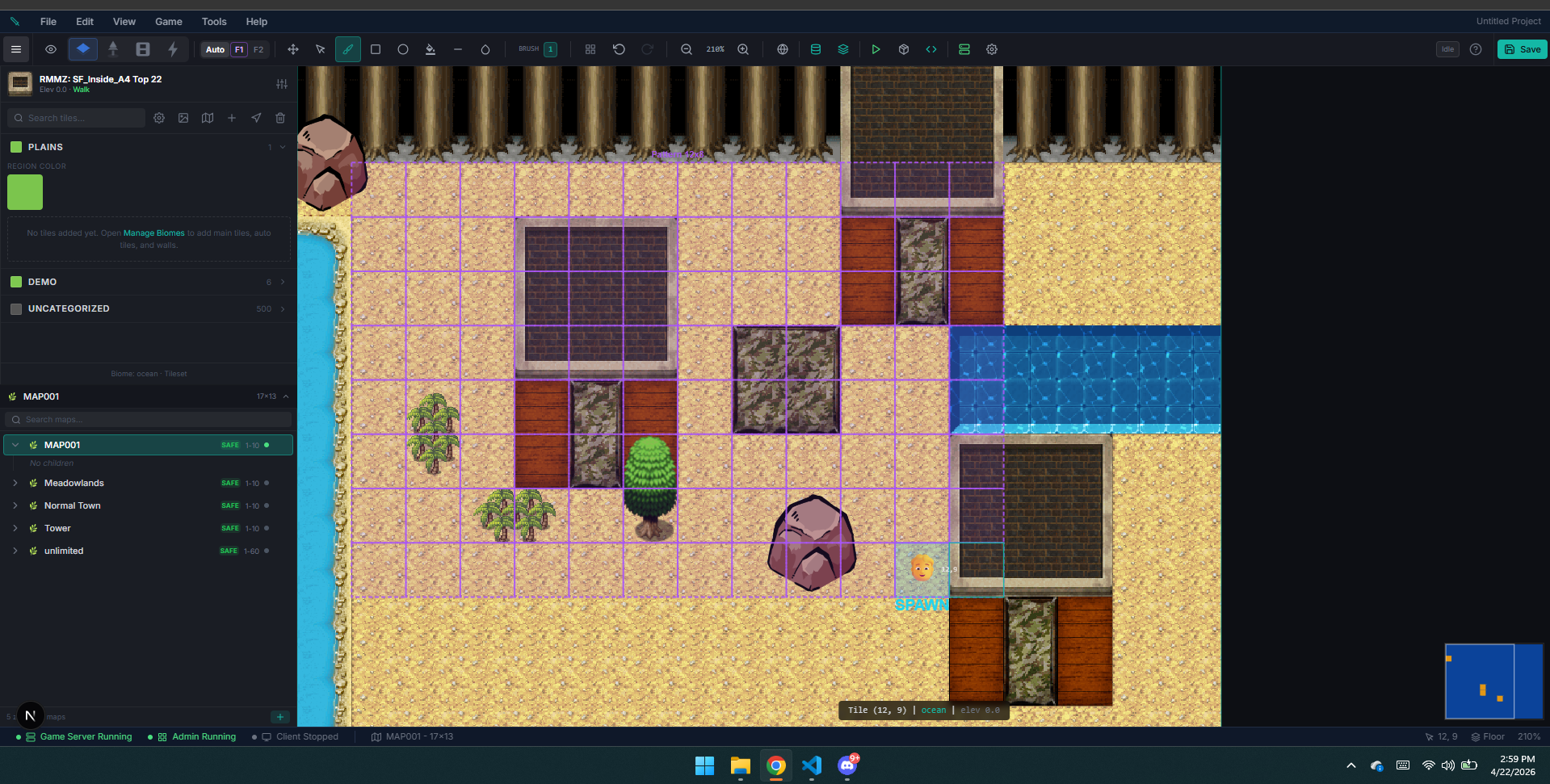
The ED5 MMO Studio desktop app contains everything you need in one place — world editor, game data, content tools, server controls, imports, plugins, and desktop playtesting. The same editor surface also powers Studio Web when you need a browser-based workflow.
When the app opens, it drops you straight into the Zones workspace. The world editor is the default home screen, and the rest of the app is reached from the left navigation or the in-editor toolbar.
What's Inside
| Component | What It Does |
|---|---|
| App Navigation | Switch between high-level sections like Zones, World, Items, Mobs, NPCs, Quests, Economy, Settings, and Import / Export |
| Game Server | Runs 50+ integrated runtime systems — combat, quests, crafting, pets, economy, progression, instances & matchmaking, and world simulation |
| Database | Stores all your game data locally — items, mobs, zones, quests, NPCs, etc. |
| Content Editors | Dedicated pages and dialogs for creating and editing every type of game content |
| Zone Editor | The default workspace — full isometric zone builder with map tree, painting tools, and event placement |
| Editor Menu Bar | An RPG-Maker-style menu bar (File · Edit · View · Game · Tools · Help) opens World Config, Database, Assets, Plugins, Server tools, Settings, Build, and Playtest |
| Desktop Playtest | Launch the local client from Game → Playtest (Ctrl+P) and connect it to the embedded server |
App Navigation
The left sidebar is a flat navigation list of app sections. It is not the old grouped dashboard layout. Zones is the first entry and the default workspace. The main entries are:
- Zones — the default world editor workspace with map tree, canvas, and palettes
- Server Status — live player list and server health
- Players — view and manage player accounts
- World — weather, time of day, seasons, and world events
- Land Claims — territory rules, crops, and pastures
- Items — weapons, armor, tools, materials, consumables
- Rarity & Quality — colored loot-rarity tiers and craft-quality buckets
- Affixes — prefix/suffix modifiers ("Superior … of Health")
- Elements — elements and the effectiveness matrix (e.g. water beats fire)
- Recipes — crafting recipes with ingredients and outputs
- Resources — harvestable nodes (trees, ore veins, herbs)
- Mobs — monster definitions, parties, and spawn rules
- Encounters — data-driven boss encounter scripts (phases, telegraphs, packs)
- Pets & Mounts — species, traits, eggs, mount configuration
- Abilities — spells and attacks with AoE shapes, damage, and cooldowns
- Skills — skill trees and leveling progression
- Status Effects — buffs, debuffs, DoTs, and crowd control
- Classes — class definitions, stat modifiers, and restrictions
- NPCs — dialogue, shops, quest givers, and townspeople
- Quests — objectives, rewards, and story chains
- Characters — character presets and starter templates
- Achievements — achievement definitions and tracking
- Cinematics — timeline cutscenes (camera, actors, dialogue, VFX, audio)
- Item Shop — premium store products and bundles
- Gold Store — real-money gold conversion tiers
- Economy — market orders and trade statistics
- Guilds — guild seasons, alliances, and zone control
- Audio Engine — game-audio middleware (buses, events, snapshots, RTPCs, music, and triggers)
- Vocabulary — customize engine text, stat labels, and player-facing terminology
- Localization — translate content strings into multiple locales
- Log Console — live debug log viewer
- Settings — ports, database mode, and preferences
- Audit Log — track all admin changes
- Import/Export — JSON export, JSON import, and RPG Maker / RPG Tools import
Database Content Editors
The Database page (accessible from the zone editor toolbar) provides a searchable overview of every content type — organized into groups like Items, Mobs, NPCs, Characters, Classes, Abilities, and more.