Sims-style building — edge walls, multi-storey floors, doors, windows, and roofs.
Buildings & Walls
ED5's building system is a Sims-style way to construct structures on an isometric map — walls, multi-storey floors, doors, windows, and auto-generated roofs. It works in two places that share one underlying model: the Map Editor (designers authoring towns, dungeons, and houses) and in-game build mode (players building on their own land).
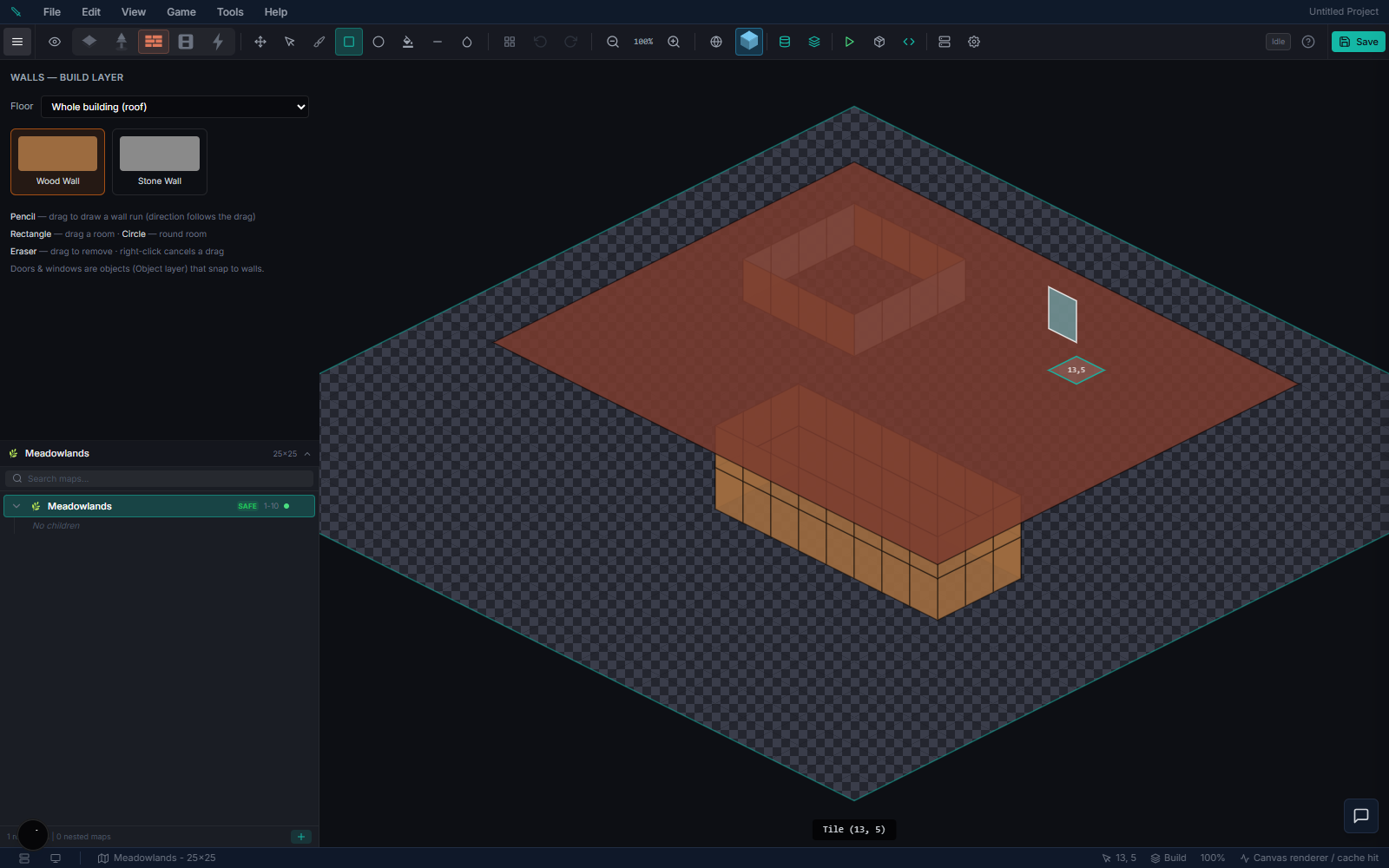
Edge walls and multi-storey building are an isometric feature. Top-down games use a simpler claim tile-painting build mode instead (see In-game build mode below).
Building in the Map Editor
In the zone editor the layer tabs run Floor → Walls → Object. Select the Walls layer to open the Walls palette. (The Walls layer is hidden for top-down games, which build with tiles.)
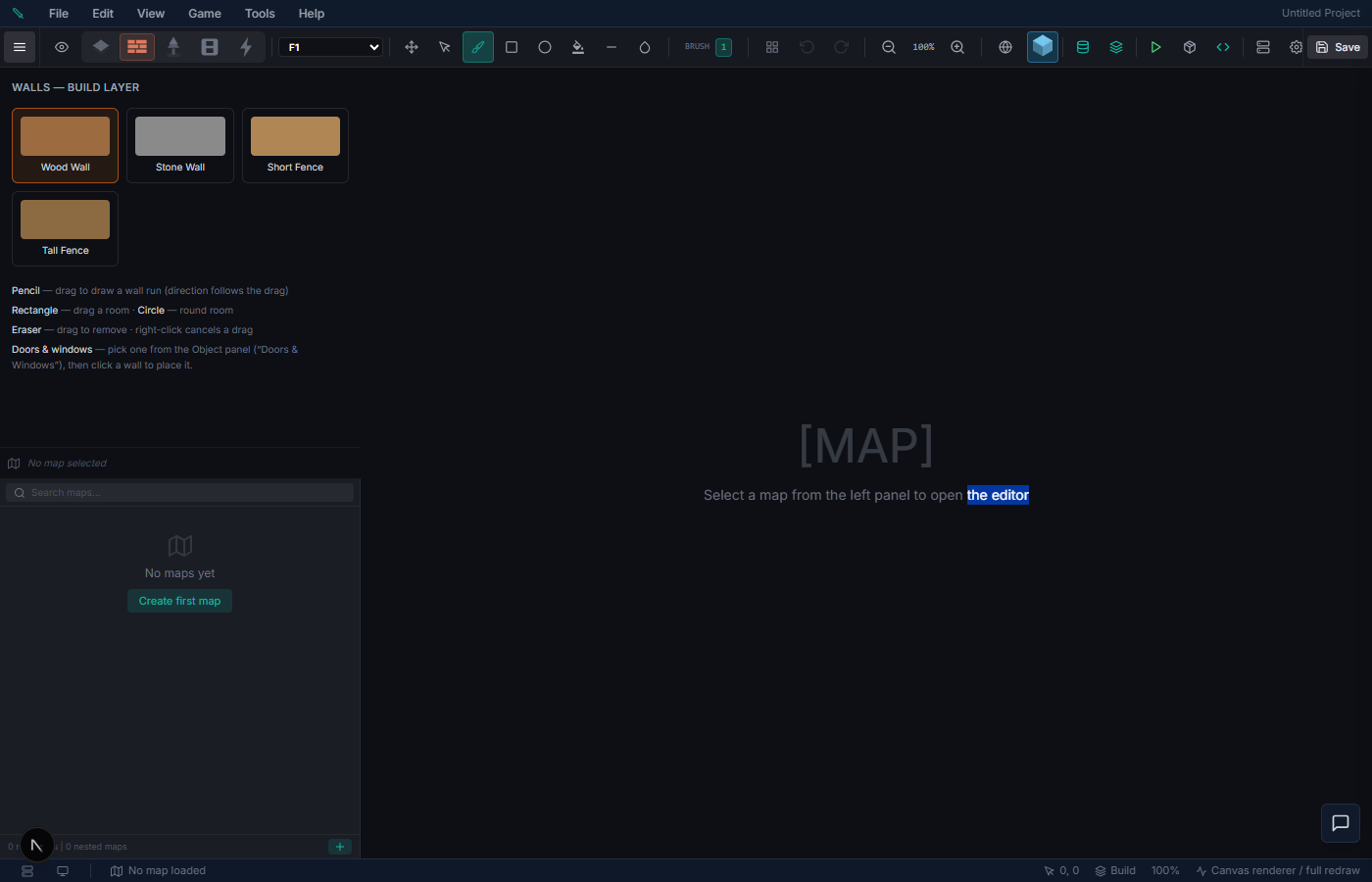
Drawing walls
1. Pick a wall material from the palette (and optionally a height). 2. Click-drag along tile edges — the run follows your drag direction and snaps to the dominant axis. A live ghost preview shows the run before you commit; right-click cancels an in-progress drag. 3. Release to place the whole run as a single undo step. Walls auto-join at corners — each tile canonically owns its north and west edges, so shared walls never double up.
Tools in the Walls layer:
| Tool | What it does |
|---|---|
| Wall | Freehand edge runs (drag). |
| Room | Drag a rectangle to auto-build the four perimeter walls. |
| Circle | Drag to build an elliptical room perimeter. |
| Eraser | Drag to remove wall segments. |
Placement is colour-coded: cyan = valid/preview, red = erase, orange = no support. Grid snapping and alignment "meet" guides help pieces line up.
Floors (multi-storey)
Use the floor selector dropdown (F1–F12) to switch storeys, plus a roof view that shows the whole building. Each floor keeps its own walls. Upper floors must rest on a wall below — the editor enforces no floating structures.
Doors & windows
Doors and windows are built-in Object items (Object panel → "Doors & Windows"). Select one and click a wall segment to snap it in — a door cuts a floor-level gap, a window insets a pane. They're stored as attachments on the wall and persist with it.
Roofs
Each enclosed structure is detected automatically and gets its own roof. L- and T-shaped footprints are split into rectangles so they render as clean hip / gable / flat sections meeting at valleys, instead of one bounding-box cap.
Wall materials
The Walls palette ships with starter materials (including Short Fence and Tall Fence). Wall sprite art lives in the user-replaceable project asset folder data/assets/building/ (served via /api/assets/...) — drop your own art in to override it.
> Importing your own wall materials — the Wall Creator (import a spritesheet, pick the two front faces, and the back faces mirror automatically) — is rolling out. Until it lands, the palette uses the built-in starter materials.
Saving
Editor walls are saved per map (serialized into each chunk's wall layer) and reach the running game through the normal map sync, so a draw → save → reload round-trips cleanly.
In-game build mode (players)
Players build on land they own. Press B on your plot or inside your house to enter build mode: your claim bounds highlight and everything outside dims. The build bar shows categories built from the buildable items in your inventory, with place / remove, rotate (objects), and exit. Removing a piece refunds its item.
What you can build depends on the game's view mode:
- Isometric games — edge walls, multi-floor structures, and room/door tools (the same model as the editor).
- Top-down games — paint floor / wall / overlay tiles directly onto your claim grid (pencil / rectangle / fill / erase); tiles autotile against their neighbours. No edge walls or floors.
> Status: the in-game build panel and the editor building system are the same new feature, still rolling out. The editor Walls layer is the most complete today; the full in-game edge-wall drawing experience is being finished, so expect the in-game flow to expand as it lands.
Making items buildable (creator setup)
Any item can be made buildable by giving its definition a building descriptor — it then appears in players' in-game build categories. The descriptor's kind decides what it places:
kind | Builds | Used in |
|---|---|---|
wall | an edge wall (references a wall material) | isometric games |
tile | a painted floor / wall / overlay tile | top-down games |
object | a placed object (furniture, stations, etc.) | both |
Give items a category (e.g. "Walls", "Floors", "Furniture") to organize the in-game palette. The server validates that an item's build action matches its descriptor — so a sword can't be used to build a wall.
Related: Housing & Land for land claims and ownership, and Terrain & Layers for the elevation system that building storeys sit independently above.